How-to guide
Business owners
How to Delete Your Billions+ Account
Permanently delete your Billions+ account, including every business, product, and order you own, directly from Account settings.
Overview
You can permanently delete your Billions+ account at any time from Account settings. Deleting your account removes your profile and every business, product, order, and customer conversation you own. This is a real, permanent deletion, not a deactivation, and it cannot be undone.
Use this guide if you want to close your Billions+ account for good, whether you are stopping use of the platform or removing test data.
Before You Start
- You need to be signed in to the Billions+ dashboard.
- Deletion removes all businesses you own, along with their products, orders, and customer data. If you manage a business on behalf of someone else, confirm with the owner first.
- This action cannot be undone. There is no recovery period after confirming.
Step 1. Open Account Settings
Sign in to your Billions+ dashboard. Click your profile name in the top-right corner and open Account settings.
Step 2. Go To The Danger Tab
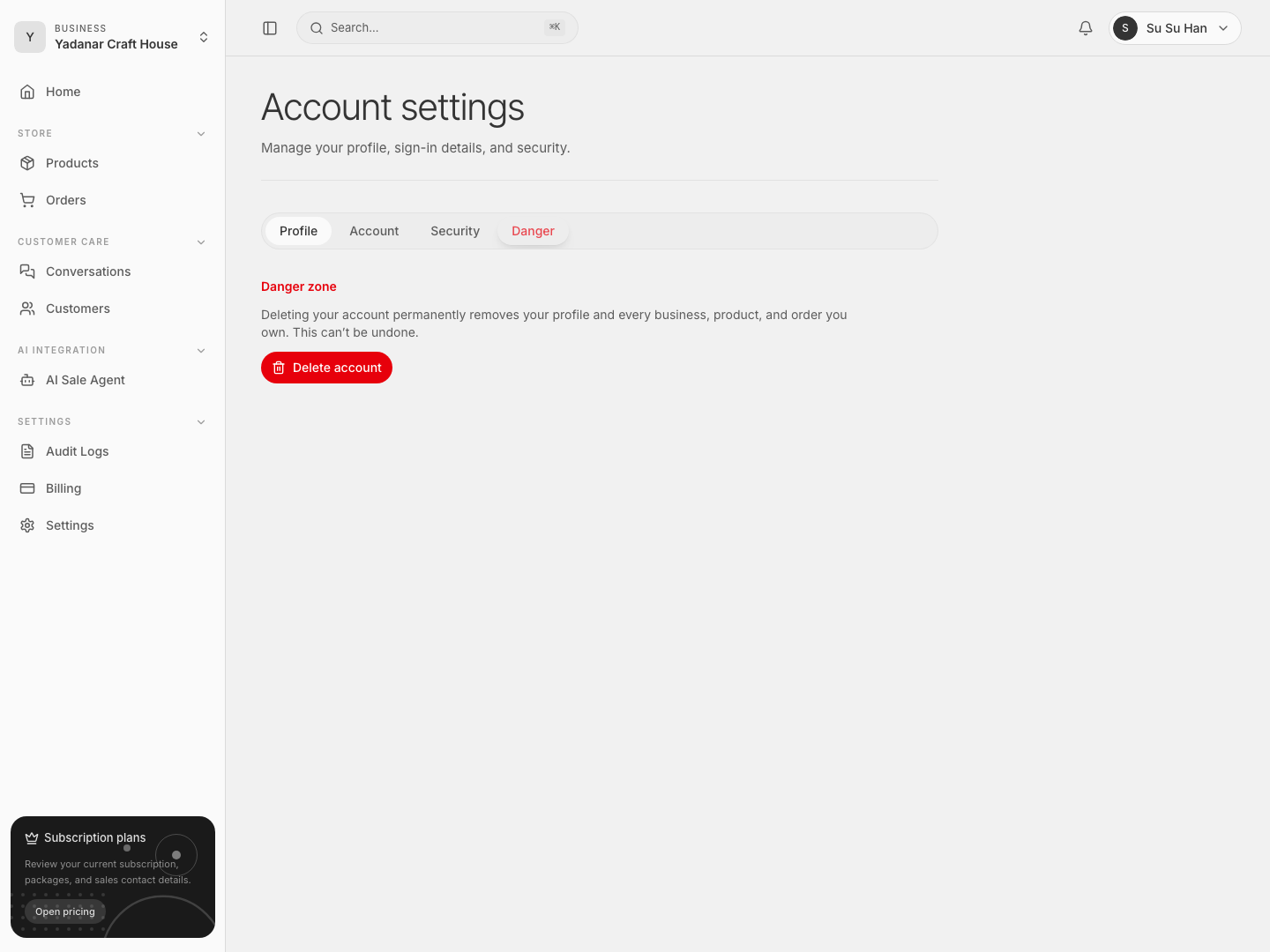
Inside Account settings, select the Danger tab. This section is separate from your Profile, Account, and Security tabs so accidental account deletion is unlikely.
Step 3. Start The Deletion
In the Danger zone, read the warning carefully: deleting your account permanently removes your profile and every business, product, and order you own. Click Delete account to open the confirmation dialog.
Step 4. Confirm By Typing Your Username
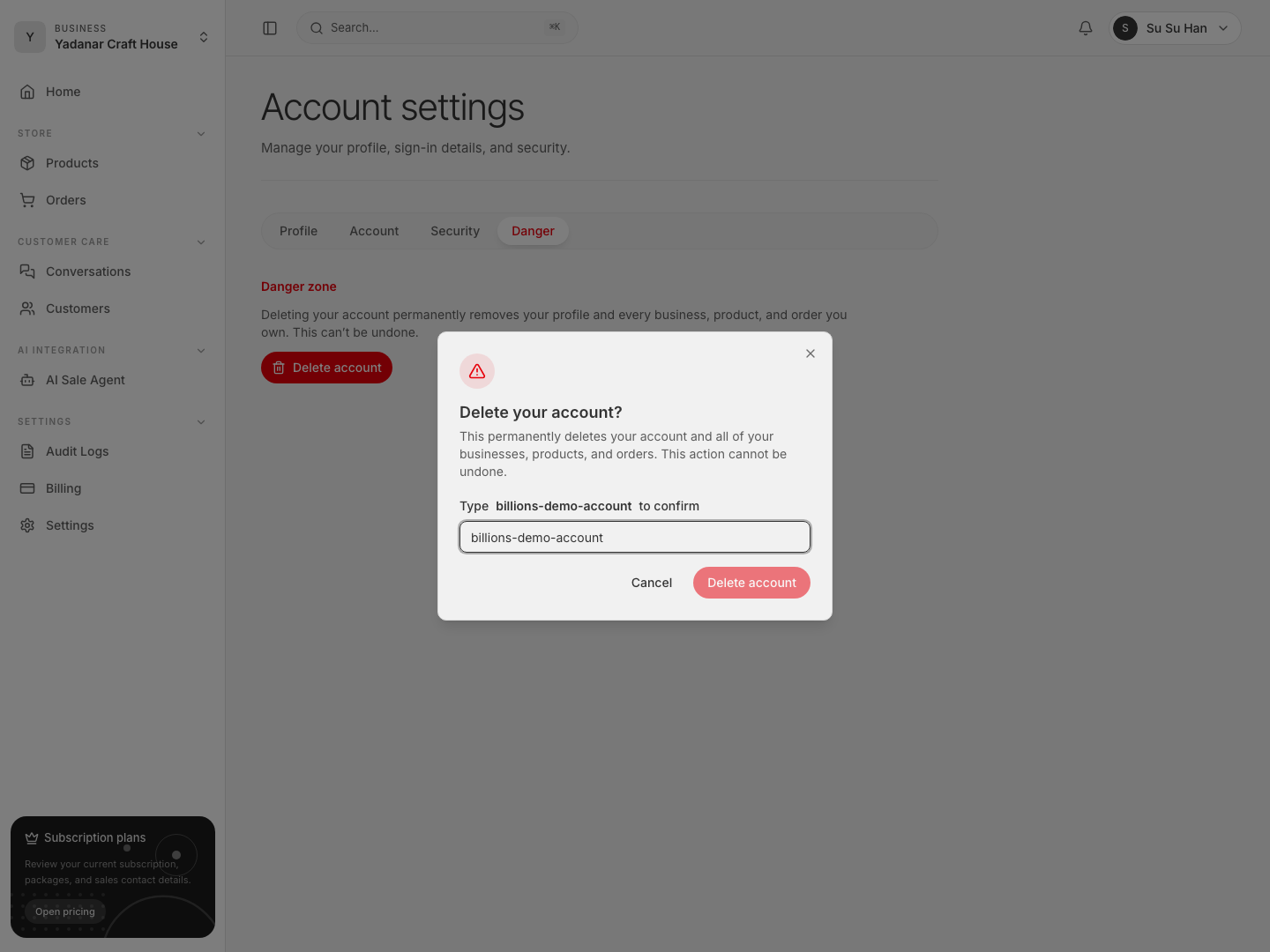
Billions+ requires you to type your exact username before the delete button becomes active. This step exists to prevent accidental deletion. Type your username into the confirmation field.
Step 5. Delete Your Account
Once your typed username matches exactly, the Delete account button becomes active. Click it to permanently delete your account. You will be signed out immediately and redirected away from the dashboard.
Troubleshooting
The Delete Button Stays Disabled
Your typed text must match your username exactly, including capitalization. Check the username shown in the dialog and retype it carefully.
I Deleted My Account By Mistake
Account deletion is permanent and cannot be reversed. If you still have access to your business data elsewhere (exports, order records with customers), you will need to recreate your account and business from scratch.
I Only Want To Remove One Business, Not My Whole Account
Deleting your account removes every business you own. If you only want to remove a single business while keeping your account and other businesses, contact support instead of deleting your account.
Reference Links
- Feature: Account settings
- Feature: Security